How To - Auxillary Line install (mp3yourcar.com accesory)

This is your place for alarms, remote starters, to brag about your system, exaggerate your db levels, or simply ask questions for stock or aftermarket audio. No Flames! (except from roasted amps)
Post Reply
User avatar
Night Crawler
Posts like an L36
Posts like an L36
Posts: 827
Joined: Thu May 22, 2008 12:32 am
Year and Trim: 2002 Bonneville SE
Location: Winnipeg, MB, Can (actually near Starbuck)

How To - Auxillary Line install (mp3yourcar.com accesory)

Post by Night Crawler »

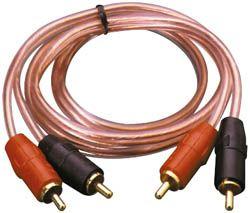
Couple things you need other than tools.
Image

Image

Image 25 feet long
Image

A drill, a 3/8 and 5/16 drill bits
-----------------------------------------------------------------------------------------------------------------------
Auxiliary adapter has toggle switches on the one side. All the pins should be up when you get it. Push 1, 3, and 8 down to on. (The website that the instructions send you to has this wrong)
-----------------------------------------------------------------------------------------------------------------------
First remove the rear trunk panel, carpeting, front trunk panel (held on by 3 magnets) and take out the cd changer
Image
Image
Image
Remove the insides. (This is where the axillary unit will be put inside of.)
Image
Run the rca's out the back of the empty cd box and push the factory plug from cd box into the box. (This gets a little tricky to plug the harnesses together)
Image
Image
Now run the rca cables under the back seat
Image
Image
Make sure you remove the two finishing trim pieces that run along the edge of the car. Then you'll have to use a some sort of object to fish the cables through the center pillar. (i used a bike lock cable)
Image
Image
Image
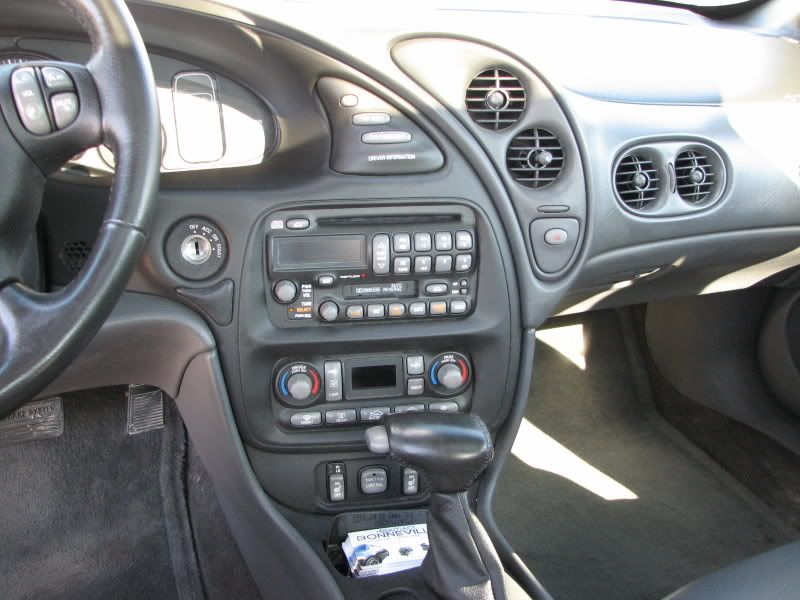
Remove the plastic shield under the glove box. (2 screws hold it on)
Image
Remove this part of the dash (you'll have to pop of the gauge trim first. 2 pins hold it on above the gauges and the rest pops off.)
Image
Image
Drill a counter sink hole using the 3/8 bit. (don't go to far) Then drill the rest of the hole with the 5/16 drill bit. Finally use the 3/8 bit, make the counter sink hole a little deeper.
Image
This part comes apart by unscrewing the chrome ring
Image
Insert the aux plug through the back and screw the chrome ring back on and reinstall the part back in the car. Running the wires towards the glove box.
Connect the aux cable and the rca cables together with the female to female adapter shown above.
Then reassemble the car and now you have an axillary line that looks stock.
Image
Image
Last edited by Night Crawler on Fri Feb 13, 2009 8:12 pm, edited 3 times in total.
Image

FWI, converted low beam bulbs into high beam bulbs, 20% tint all around, MSD wires, NDK TR55 plugs, auxiliary line in, scan gauge, custom FloPro/MagnaFlow Cat back exhaust
2002 Bonneville SE
User avatar
Night Crawler
Posts like an L36
Posts like an L36
Posts: 827
Joined: Thu May 22, 2008 12:32 am
Year and Trim: 2002 Bonneville SE
Location: Winnipeg, MB, Can (actually near Starbuck)

Re: How To - Auxillary Line install (mp3yourcar.com accesory)

Post by Night Crawler »

no replys, :(
Image

FWI, converted low beam bulbs into high beam bulbs, 20% tint all around, MSD wires, NDK TR55 plugs, auxiliary line in, scan gauge, custom FloPro/MagnaFlow Cat back exhaust
2002 Bonneville SE
LeSabre in Buffalo
Certified Bonneville Nut
Posts: 3177
Joined: Fri May 23, 2008 1:15 am
Year and Trim: 2012 Eco
Location: Corning, NY

Re: How To - Auxillary Line install (mp3yourcar.com accesory)

Post by LeSabre in Buffalo »

Here's your reply!

Sweet!

Does this hook up through the antenna?
2012 Chevrolet Cruze Eco - Current car
Image Image
1999 Buick LeSabre Custom - Former car

Learn from the mistakes of others, that way when you mess up you can do so in new and interesting ways.
User avatar
harofreak00
Administrator
Administrator
Posts: 26022
Joined: Mon May 19, 2008 6:04 pm
Year and Trim: 2004 GXP - plus a handful of other Bonnevilles
Location: Browerville, MN
Contact:

Re: How To - Auxillary Line install (mp3yourcar.com accesory)

Post by harofreak00 »

Loss of the cd changer?

I like this way better: viewtopic.php?f=13&t=318
Andrew - owner/operator of Bonnevilles Unlimited
Image
2004 Bonneville GXP | 60k | White Gold Tricoat | custom built supercharged 3800 hot rod | garage queen
1997 Corvette | 57k | Silver Metallic | Z06 wheels | Date-night Hauler/Parts runner
2014 Town & Country Limited | Cashmere Pearl | 115k | Family Hauler
2002 Ram 1500 Quad Cab Sport | Black| 280k | Official Bonneville Hauler
User avatar
Night Crawler
Posts like an L36
Posts like an L36
Posts: 827
Joined: Thu May 22, 2008 12:32 am
Year and Trim: 2002 Bonneville SE
Location: Winnipeg, MB, Can (actually near Starbuck)

Re: How To - Auxillary Line install (mp3yourcar.com accesory)

Post by Night Crawler »

LeSabre in Buffalo wrote:Here's your reply!

Sweet!

Does this hook up through the antenna?
I actually just plugs into the plug that the cd changer uses making the cd changer useless. Hence why I gutted it and used it to put the components into.


I couldn't stand the CD changer, every time I went to play cd's from it they skipped like crazy due to dust build up. Now I have auxillary input so I don't need cd's anymore. Anything with a headphone jack can plug into it. Plus I couldn't do the other method.
Image

FWI, converted low beam bulbs into high beam bulbs, 20% tint all around, MSD wires, NDK TR55 plugs, auxiliary line in, scan gauge, custom FloPro/MagnaFlow Cat back exhaust
2002 Bonneville SE
bonnevillain
Retired Site Developer
Posts: 3046
Joined: Wed May 21, 2008 11:07 pm
Year and Trim: 2002 SLE
Location: Minnesota

Re: How To - Auxillary Line install (mp3yourcar.com accesory)

Post by bonnevillain »

I never had any problems with my cd changer, but i got usb functionality now, so i just carry an 8 gig usb flash drive with me and use the aftermarket head unit to browse through folders and songs :D

looks like a very easy install though
User avatar
Night Crawler
Posts like an L36
Posts like an L36
Posts: 827
Joined: Thu May 22, 2008 12:32 am
Year and Trim: 2002 Bonneville SE
Location: Winnipeg, MB, Can (actually near Starbuck)

Re: How To - Auxillary Line install (mp3yourcar.com accesory)

Post by Night Crawler »

yep it was
Image

FWI, converted low beam bulbs into high beam bulbs, 20% tint all around, MSD wires, NDK TR55 plugs, auxiliary line in, scan gauge, custom FloPro/MagnaFlow Cat back exhaust
2002 Bonneville SE
00Beast
Retired Site Developer
Posts: 20960
Joined: Tue May 27, 2008 10:30 pm
Year and Trim: '17 Silverado 1500
Location: MN/IA
Contact:

Re: How To - Auxillary Line install (mp3yourcar.com accesory)

Post by 00Beast »

PSH, who needs an AUX in when you have XM and a 12 disc changer?
Bye Bye:
Image
RIP sandrock
Sirius wrote:Think about it. You’re tooling down the road in your Prius, knowing full-well that this thing being green is as big a sham as federally mandated ethanol-enriched gas, Russia pulling out of Ukraine, and Obamacare.
bonnevillain
Retired Site Developer
Posts: 3046
Joined: Wed May 21, 2008 11:07 pm
Year and Trim: 2002 SLE
Location: Minnesota

Re: How To - Auxillary Line install (mp3yourcar.com accesory)

Post by bonnevillain »

a disk changer that only plays audio cds is nothing compared to a 60GB ipod/mp3 player, or a laptop on a trip, or even an 8 gig flash drive with a few thousand songs on it versus maybe 20 songs per cd with the stock changer
00Beast
Retired Site Developer
Posts: 20960
Joined: Tue May 27, 2008 10:30 pm
Year and Trim: '17 Silverado 1500
Location: MN/IA
Contact:

Re: How To - Auxillary Line install (mp3yourcar.com accesory)

Post by 00Beast »

True, but I can fit all of the songs I listen to on 12 CD's in my changer, lol.
Bye Bye:
Image
RIP sandrock
Sirius wrote:Think about it. You’re tooling down the road in your Prius, knowing full-well that this thing being green is as big a sham as federally mandated ethanol-enriched gas, Russia pulling out of Ukraine, and Obamacare.
biohazed
SLE Member
SLE Member
Posts: 92
Joined: Thu Jan 15, 2009 8:52 pm
Year and Trim: 2000 Grand PRix GTP
Location: Killadelphia, PA
Contact:

Re: How To - Auxillary Line install (mp3yourcar.com accesory)

Post by biohazed »

cool mod but not everyone has a factory 12 disc changer so i can't do this mod :(
Image
- 2000 Bonneville SE 3800 Series 2, Aluminum LIM Gasket, Dorman Improved UIM - Sold
User avatar
Night Crawler
Posts like an L36
Posts like an L36
Posts: 827
Joined: Thu May 22, 2008 12:32 am
Year and Trim: 2002 Bonneville SE
Location: Winnipeg, MB, Can (actually near Starbuck)

Re: How To - Auxillary Line install (mp3yourcar.com accesory)

Post by Night Crawler »

I lucked out with the changer in my se. I don't have satellite radio and don't want it. Because why pay for radio when you can have a whole bunch of songs on mp3 on a lap top including movies. the new 8.9" lap top by acer that are out fit between the seats no problem once the car is in drive.
Image

FWI, converted low beam bulbs into high beam bulbs, 20% tint all around, MSD wires, NDK TR55 plugs, auxiliary line in, scan gauge, custom FloPro/MagnaFlow Cat back exhaust
2002 Bonneville SE
00Beast
Retired Site Developer
Posts: 20960
Joined: Tue May 27, 2008 10:30 pm
Year and Trim: '17 Silverado 1500
Location: MN/IA
Contact:

Re: How To - Auxillary Line install (mp3yourcar.com accesory)

Post by 00Beast »

You mean the EEE?
Bye Bye:
Image
RIP sandrock
Sirius wrote:Think about it. You’re tooling down the road in your Prius, knowing full-well that this thing being green is as big a sham as federally mandated ethanol-enriched gas, Russia pulling out of Ukraine, and Obamacare.
bonnevillain
Retired Site Developer
Posts: 3046
Joined: Wed May 21, 2008 11:07 pm
Year and Trim: 2002 SLE
Location: Minnesota

Re: How To - Auxillary Line install (mp3yourcar.com accesory)

Post by bonnevillain »

it's an acer ;)
User avatar
Night Crawler
Posts like an L36
Posts like an L36
Posts: 827
Joined: Thu May 22, 2008 12:32 am
Year and Trim: 2002 Bonneville SE
Location: Winnipeg, MB, Can (actually near Starbuck)

Re: How To - Auxillary Line install (mp3yourcar.com accesory)

Post by Night Crawler »

Image

FWI, converted low beam bulbs into high beam bulbs, 20% tint all around, MSD wires, NDK TR55 plugs, auxiliary line in, scan gauge, custom FloPro/MagnaFlow Cat back exhaust
2002 Bonneville SE
Post Reply